FREE Sketch Blender Icon: Playful & Scalable Design Resource
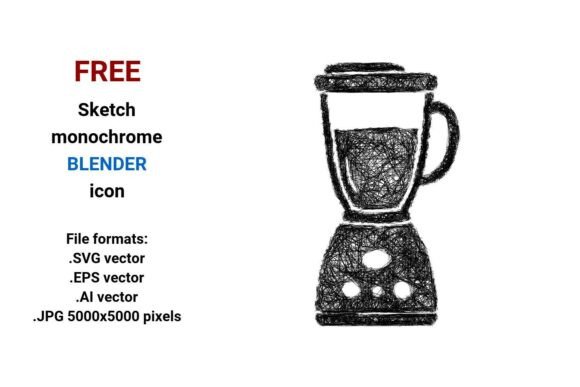
Need a blender icon that feels hand-drawn, friendly, and fully adaptable? The FREE Sketch Blender Icon delivers exactly that — a clean, expressive, black-and-white sketch-style representation of a food blender, available in four versatile formats: .SVG, .EPS, .AI, and high-res .JPG (5000×5000 pixels). Unlike pixel-based icons that blur when enlarged, this is a true vector image — built from mathematical paths and points — so it scales flawlessly from a tiny app button to a large-print poster without losing clarity or character.
Why This Sketch Blender Icon Stands Out
Most blender icons lean heavily into realism or flat UI minimalism. This one bridges both worlds: it’s sketched — with visible line variation, subtle hatch texture, and gentle imperfection — yet remains minimalistic and isolated on a transparent background. That balance makes it unusually flexible. It reads instantly as a blender, but also signals creativity, approachability, and human touch — ideal for brands or projects that want to feel artisanal, educational, or health-conscious.
The black-and-white treatment isn’t just aesthetic — it’s practical. You can recolor it in seconds inside any vector editor (Illustrator, Affinity Designer, Figma) or even CSS for web use. Pair it with warm oat milk tones for a wellness blog, crisp cobalt for a kitchenware startup, or muted sage for a sustainable food brand. Because it’s delivered in .SVG and .AI, editing strokes, adjusting line weight, or adding custom shadows takes minutes — not hours.
Creative Uses Across Real Projects
This sketch blender icon thrives where personality matters. Here’s how different users bring it to life:
- Food bloggers & recipe creators use it as a consistent visual tag for “blend” steps in tutorials — embedded directly in Canva-designed PDF guides or pinned to Pinterest pins. Its outline style ensures readability even at small sizes on mobile feeds.
- Educators and nutritionists drop the .SVG into interactive learning modules (e.g., drag-and-drop smoothie ingredient builders). The playful, rough line quality helps reduce cognitive load for younger audiences or ESL learners.
- UX designers incorporate it into low-fidelity wireframes as a sketch button or interface sketch icon, then swap in the same asset — now refined — for final mockups. That continuity saves time and strengthens design system cohesion.
- Small-batch food entrepreneurs print it on reusable shopping bags, jar labels, or workshop handouts. The .EPS file works seamlessly with vinyl cutters and screen printers; the .JPG version gives photographers and social media managers crisp assets for Instagram carousels or email headers.
Adapting It Thoughtfully — Not Just Stylistically
Using a sketch illustration doesn’t mean sacrificing professionalism. Clarity comes from intention — not polish. Before dropping the FREE Sketch Blender Icon into your project, ask:
- What action should the user take? If it’s a call-to-action button (“Mix Now”), pair the icon with bold, legible type and ample whitespace. Avoid stacking it with other sketch elements that compete for attention.
- Who’s seeing it — and where? On a dark-mode website? Use white stroke instead of black. In a printed manual? Test contrast with your paper stock. For accessibility, ensure the icon has an alt text description like “hand-drawn blender icon for mixing drinks and food.”
- Does it support your voice? A sleek tech brand might soften the sketch lines and add a subtle gradient. A farm-to-blender juice company could extend the sketch into a full sketch illustration — adding leaves, berries, or a glass beside it — while keeping the core icon intact.
Consistency matters more than complexity. One team used this food blender icon across their entire product suite: same stroke weight, same anchor point alignment, same color palette. They didn’t redraw it — they reused and recolored it. That discipline made their interface feel unified, not repetitive.
Technical Strengths You’ll Actually Use
The inclusion of .AI and .EPS means professional designers can open layers, adjust individual paths, or extract just the base shape for custom animations. The .SVG is optimized — lightweight, no hidden metadata — so it loads fast on websites and works with modern CSS transforms (rotate on hover, scale on click). And the .JPG isn’t an afterthought: at 5000×5000 pixels, it’s ready for large-format prints, pitch decks, or detailed tutorial screenshots — no upscaling artifacts, no fuzzy edges.
Because it’s truly free and royalty-free, you’re not just saving money — you’re gaining speed. No licensing checks before launch. No attribution required (though credit is always appreciated). No waiting for approvals. Just download, adapt, and ship.
From Blender Icon to Brand Element
Think beyond the single use. This stroke sketch icon can seed a broader visual language. Try these grounded next steps:
- Trace over the blender shape to create matching icons for mix, drink, chop, or pour — keeping the same line rhythm and weight.
- Use the hatch texture as a pattern overlay behind text blocks or section dividers on your site — reinforcing the artistic sketch icon motif without repeating the icon itself.
- Import the .SVG into Figma or Adobe XD and convert it to a component. Then build variants: filled, outlined, animated, disabled state — all synced to one master source.
You don’t need to be a designer to benefit. Marketers paste it into Mailchimp templates. Educators insert it into Google Slides lesson plans. Bloggers embed it in WordPress posts using the native SVG uploader. Its strength lies in being both digital and human-made — precise enough for tech, warm enough for people.
If your work involves food, blending, mixing, or making things by hand — whether literally or metaphorically — this FREE Sketch Blender Icon is more than decoration. It’s a clear, adaptable, audience-aware tool. Download it. Resize it. Recolor it. Build around it. Then get back to what you do best — creating something useful, real, and worth sharing.