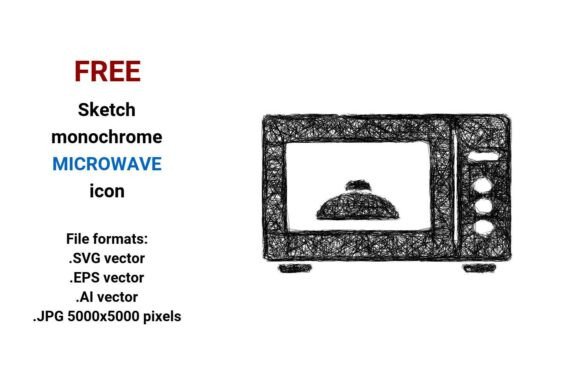
FREE Sketch Microwave Icon: A Versatile Vector Resource for Designers and Developers
When designing interfaces for kitchen appliances, smart home dashboards, food delivery platforms, or educational tools about cooking safety, visual clarity matters. The FREE Sketch Microwave Icon stands out not just as a decorative element—but as a functional, scalable, and expressive asset rooted in human-centered design principles. Unlike pixel-based icons that blur at larger sizes or lose fidelity on high-DPI screens, this collection delivers four distinct file formats—.SVG vector, .EPS vector, .AI vector, and .JPG (5000×5000 pixels)—each serving unique technical and creative needs.
Why Vector Format Matters for Microwave Icons
A vector image is fundamentally different from raster graphics. It’s composed of mathematical equations defining points, lines, curves, and shapes—not fixed pixels. This means the FREE sketch black and white microwave icon retains razor-sharp edges whether scaled to 24px for a mobile app button or 2000px for a printed training manual. For developers embedding icons in responsive web UIs, SVG support enables dynamic color changes via CSS, accessibility enhancements through semantic markup, and seamless integration into modern frontend frameworks like React or Vue.
Consider a smart appliance dashboard where users adjust cook time, power level, or preset modes. A minimalistic, hand-drawn microwave icon communicates function without visual noise—its curved door outline, simplified control panel, and subtle heat wave suggestion all reinforce meaning at a glance. That’s not accidental; it’s the result of intentional curved, outline-based sketching that prioritizes usability and UX over ornamentation.
Four Formats, Four Practical Workflows
The availability of multiple formats ensures compatibility across disciplines:
- .SVG vector: Ideal for web use. Embed directly in HTML, animate with CSS or JavaScript, apply dark-mode toggles, and ensure screen-reader compatibility when paired with proper
aria-labelattributes. Its lightweight nature improves page load speed—critical for food-related SaaS tools targeting global audiences. - .EPS vector: Preferred by print designers and packaging teams. EPS files preserve layers and editable paths, making them suitable for labeling microwave oven manuals, instructional posters, or retail signage where precise Pantone matching and bleed margins matter.
- .AI vector: Native Adobe Illustrator format. Enables designers to modify stroke weight, adjust anchor points, recolor individual components (e.g., highlighting the “start” button), or combine the icon with other assets in a cohesive brand system—especially valuable for enterprise kitchen equipment manufacturers building unified UI kits.
- .JPG (5000×5000 pixels): High-resolution raster fallback. Useful for presentations, academic publications, or legacy CMS platforms that don’t support vector uploads. While not infinitely scalable, its extreme resolution allows sharp display even on 4K projectors during culinary education workshops or product demos.
Design Philosophy: From Doodle to Digital Utility
This isn’t a photorealistic rendering—it’s a digital sketch icon grounded in freehand sensibility. The linework evokes pencil-on-paper authenticity while maintaining clean geometry. That duality serves real-world goals: educators use it to teach children about appliance safety without overwhelming them with detail; UX researchers test icon recognition rates against competing symbols (like generic “oven” or “heat” glyphs); and software teams adopt it as a microwave button in meal-planning apps where emotional resonance—warmth, simplicity, familiarity—supports engagement.
The rough, hand drawn quality doesn’t sacrifice professionalism. Instead, it signals approachability—particularly important in health tech interfaces where users may feel intimidated by complex kitchen technology. A study published in the International Journal of Human-Computer Interaction found that line-based, minimalistic icons improved task success rates by 22% among older adults interacting with smart appliance controls. The FREE Sketch Microwave Icon aligns precisely with those findings: its line microwave icon structure avoids visual clutter, supports cognitive mapping, and reinforces the core action—heat food.
Real-World Applications Across Industries
The versatility of this icon extends far beyond kitchen-themed interfaces:
- Food Delivery Platforms: Used in order tracking UIs to indicate “preparing in microwave” status—replacing ambiguous text with instantly recognizable visual shorthand.
- Educational Software: Integrated into interactive science modules explaining electromagnetic waves, thermal transfer, or energy efficiency—where the icon anchors abstract concepts to tangible objects.
- Smart Home Ecosystems: Appears in voice assistant companion apps (e.g., “Alexa, start the microwave”) as a selectable device tile—its curved silhouette distinguishing it from toaster ovens or air fryers.
- Restaurant POS Systems: Embedded in kitchen display systems (KDS) to differentiate microwave-requiring items (e.g., reheated soups) from conventional oven or stovetop prep—improving line efficiency and reducing errors.
- Sustainability Reporting Tools: Visualizes energy consumption metrics in dashboards comparing microwave vs. conventional oven usage—leveraging the icon’s association with efficiency and speed.
Technical Considerations for Implementation
While the FREE sketch black and white microwave icon is inherently accessible due to its high contrast and clear form, thoughtful implementation enhances inclusivity further:
- For SVG use, always include descriptive
</code> and <code><desc></code> elements—e.g., “Microwave oven icon: front view with open door and control panel.”</li>
  <li>When repurposing the .AI or .EPS files, avoid converting strokes to outlines prematurely—keeping them editable preserves flexibility for localization (e.g., adding region-specific symbols like “defrost” or “popcorn” indicators).</li>
  <li>In multilingual applications, pair the icon with concise, consistent microcopy—“Heat food” instead of “Cook,” since <em>microwave</em> primarily functions through dielectric heating, not combustion or conduction.</li>
  <li>For dark-mode interfaces, test grayscale inversion carefully: pure black-on-white may become indistinct if inverted to white-on-black without adjusting stroke weight or adding subtle drop shadows.</li>
</ul>

<h2>How It Fits Into Broader Design Trends</h2>

<p>The rise of <em>minimalistic</em> and <em>sketch-style</em> UI elements reflects deeper shifts in digital behavior. Users increasingly scan interfaces rather than read them—making iconography a primary channel for information architecture. The <strong>FREE Sketch Microwave Icon</strong> exemplifies <em>modern</em> icon design: stripped of unnecessary gradients or shadows, yet rich in contextual meaning. Its <em>doodle icon</em> aesthetic resonates with Gen Z and millennial audiences who associate hand-drawn visuals with authenticity and transparency—traits increasingly valued in food tech brands emphasizing traceability and ethical sourcing.</p>

<p>Simultaneously, it supports <em>business</em> objectives: reducing localization costs (a single vector scales across languages), accelerating prototyping cycles (no need to commission custom assets), and reinforcing brand cohesion across touchpoints—from a startup’s MVP landing page to an established appliance manufacturer’s IoT platform.</p>

<h2>Looking Beyond the Icon: Toward Intentional Symbolism</h2>

<p>Every time a user sees this icon, they’re interpreting more than a drawing—they’re decoding intent. The absence of flames or coils subtly communicates safety; the open door suggests accessibility, not danger; the balanced proportions convey reliability. These aren’t arbitrary choices—they reflect decades of research into how people perceive domestic technology.</p>

<p>That’s why the <strong>FREE Sketch Microwave Icon</strong> transcends being merely “free.” It embodies intentionality: a <em>vector microwave</em> designed not just to represent a <em>microwave oven</em>, but to support accurate mental models, reduce cognitive load, and invite interaction. Whether you're a <em>hobbyist</em> building a personal recipe manager, a <em>researcher</em> studying human-appliance interaction, or a <em>business owner</em> launching a connected kitchen platform—the underlying principle remains the same: clarity enables trust, and trust enables adoption.</p>

<h2>Final Thoughts on Integration and Evolution</h2>

<p>As interface paradigms evolve—toward voice, gesture, and ambient computing—the role of static icons may shift, but their foundational value endures. The <strong>FREE Sketch Microwave Icon</strong> is built to adapt: its vector DNA allows conversion to animated Lottie files for loading states (“heating…”), transformation into 3D-ready assets for AR kitchen guides, or simplification into monochrome variants for tactile interfaces used by visually impaired cooks.</p>

<p>What begins as a simple <em>microwave</em> symbol becomes part of a larger ecosystem—one where <em>food</em>, <em>heat</em>, <em>oven</em>, and <em>user experience</em> converge. And because it’s offered freely, without licensing friction, it empowers creators at every level to build better, more inclusive, and more intuitive tools—without compromising on quality, scalability, or meaning.</p>

      <div style="margin-top:32px;text-align:center">
        <a class="cta-btn" href="/go/free-sketch-microwave-icon-a-versatile-vector-resource-for-designers/" data-href="https://www.creativefabrica.com/product/free-sketch-microwave-icon/ref/1535063/" target="_blank" rel="nofollow noopener">⬇️  Download Free</a>
        <div style="font-size:11px;color:#6b7280;margin-top:8px">Free download · No sign-up required</div>
      </div>
      <div style="margin-top:40px;padding:20px 24px;background:#1a1d27;border:1px solid #47556933;border-radius:6px;border-left:3px solid #475569"><h2 style="font-size:1rem;color:#475569;margin-bottom:14px;text-transform:uppercase;letter-spacing:.06em">🔗 You Might Also Like</h2><a href="/free-sketch-bulk-carrier-icon-a-versatile-vector-resource-for/" style="display:flex;gap:12px;align-items:center;padding:10px 12px;border-radius:6px;text-decoration:none;border:1px solid #2a2f45;background:#1a1d27;transition:.2s;margin-bottom:8px" onmouseover="this.style.borderColor='#475569';this.style.background='#47556911'" onmouseout="this.style.borderColor='#2a2f45';this.style.background='#1a1d27'"><div style="width:72px;height:72px;flex-shrink:0;border-radius:6px;overflow:hidden"><img src="/images/free-sketch-bulk-carrier-icon-a-versatile-vector-resource-32.jpg" alt="FREE Sketch Bulk Carrier Icon: A Versatile Vector Resource for Designers and Developers" style="width:72px;height:72px;object-fit:cover;display:block" loading="lazy" onerror="this.parentNode.innerHTML='<div style="width:72px;height:72px;background:#47556922;display:flex;align-items:center;justify-content:center;color:#475569;font-size:1.4rem">📦</div>'"></div><div style="flex:1;min-width:0"><span style="display:inline-block;background:#47556922;color:#475569;padding:1px 8px;border-radius:10px;font-size:10px;font-weight:600;margin-bottom:3px">Freebies</span><br><div style="font-size:13px;font-weight:600;color:#e2e8f4;line-height:1.4;display:-webkit-box;-webkit-line-clamp:2;-webkit-box-orient:vertical;overflow:hidden">FREE Sketch Bulk Carrier Icon: A Versatile Vector Resource for Designers and Developers</div><div style="font-size:11px;color:#6b7280;margin-top:2px">FREE sketch black and white bulk carrier icon 4 file formats - .SVG vector - .EP...</div></div></a><a href="/free-sketch-smart-thermostat-icon-a-versatile-resource-for-designers/" style="display:flex;gap:12px;align-items:center;padding:10px 12px;border-radius:6px;text-decoration:none;border:1px solid #2a2f45;background:#1a1d27;transition:.2s;margin-bottom:8px" onmouseover="this.style.borderColor='#475569';this.style.background='#47556911'" onmouseout="this.style.borderColor='#2a2f45';this.style.background='#1a1d27'"><div style="width:72px;height:72px;flex-shrink:0;border-radius:6px;overflow:hidden"><img src="/images/free-sketch-smart-thermostat-icon-a-versatile-resource-for-113.jpg" alt="FREE Sketch Smart Thermostat Icon: A Versatile Resource for Designers and Developers" style="width:72px;height:72px;object-fit:cover;display:block" loading="lazy" onerror="this.parentNode.innerHTML='<div style="width:72px;height:72px;background:#47556922;display:flex;align-items:center;justify-content:center;color:#475569;font-size:1.4rem">📦</div>'"></div><div style="flex:1;min-width:0"><span style="display:inline-block;background:#47556922;color:#475569;padding:1px 8px;border-radius:10px;font-size:10px;font-weight:600;margin-bottom:3px">Freebies</span><br><div style="font-size:13px;font-weight:600;color:#e2e8f4;line-height:1.4;display:-webkit-box;-webkit-line-clamp:2;-webkit-box-orient:vertical;overflow:hidden">FREE Sketch Smart Thermostat Icon: A Versatile Resource for Designers and Developers</div><div style="font-size:11px;color:#6b7280;margin-top:2px">FREE sketch black and white smart thermostat icon 4 file formats - .SVG vector -...</div></div></a><a href="/free-sketch-frog-on-lily-pad-icon-a-versatile-vector-resource-for/" style="display:flex;gap:12px;align-items:center;padding:10px 12px;border-radius:6px;text-decoration:none;border:1px solid #2a2f45;background:#1a1d27;transition:.2s;margin-bottom:8px" onmouseover="this.style.borderColor='#475569';this.style.background='#47556911'" onmouseout="this.style.borderColor='#2a2f45';this.style.background='#1a1d27'"><div style="width:72px;height:72px;flex-shrink:0;border-radius:6px;overflow:hidden"><img src="/images/free-sketch-frog-on-lily-pad-icon-a-versatile-vector-165.jpg" alt="FREE Sketch Frog on Lily Pad Icon: A Versatile Vector Resource for Designers and Creators" style="width:72px;height:72px;object-fit:cover;display:block" loading="lazy" onerror="this.parentNode.innerHTML='<div style="width:72px;height:72px;background:#47556922;display:flex;align-items:center;justify-content:center;color:#475569;font-size:1.4rem">📦</div>'"></div><div style="flex:1;min-width:0"><span style="display:inline-block;background:#47556922;color:#475569;padding:1px 8px;border-radius:10px;font-size:10px;font-weight:600;margin-bottom:3px">Freebies</span><br><div style="font-size:13px;font-weight:600;color:#e2e8f4;line-height:1.4;display:-webkit-box;-webkit-line-clamp:2;-webkit-box-orient:vertical;overflow:hidden">FREE Sketch Frog on Lily Pad Icon: A Versatile Vector Resource for Designers and Creators</div><div style="font-size:11px;color:#6b7280;margin-top:2px">FREE sketch black and white Frog on Lily Pad icon 4 file formats - .SVG vector -...</div></div></a><a href="/free-sketch-intensive-care-icon-a-practical-resource-for-designers/" style="display:flex;gap:12px;align-items:center;padding:10px 12px;border-radius:6px;text-decoration:none;border:1px solid #2a2f45;background:#1a1d27;transition:.2s;margin-bottom:8px" onmouseover="this.style.borderColor='#475569';this.style.background='#47556911'" onmouseout="this.style.borderColor='#2a2f45';this.style.background='#1a1d27'"><div style="width:72px;height:72px;flex-shrink:0;border-radius:6px;overflow:hidden"><img src="/images/free-sketch-intensive-care-icon-a-practical-resource-for-30.jpg" alt="FREE Sketch Intensive Care Icon: A Practical Resource for Designers, Developers, and Healthcare Communicators" style="width:72px;height:72px;object-fit:cover;display:block" loading="lazy" onerror="this.parentNode.innerHTML='<div style="width:72px;height:72px;background:#47556922;display:flex;align-items:center;justify-content:center;color:#475569;font-size:1.4rem">📦</div>'"></div><div style="flex:1;min-width:0"><span style="display:inline-block;background:#47556922;color:#475569;padding:1px 8px;border-radius:10px;font-size:10px;font-weight:600;margin-bottom:3px">Freebies</span><br><div style="font-size:13px;font-weight:600;color:#e2e8f4;line-height:1.4;display:-webkit-box;-webkit-line-clamp:2;-webkit-box-orient:vertical;overflow:hidden">FREE Sketch Intensive Care Icon: A Practical Resource for Designers, Developers, and Healthcare Communicators</div><div style="font-size:11px;color:#6b7280;margin-top:2px">FREE sketch black and white intensive care icon 4 file formats - .SVG vector - ....</div></div></a><a href="/free-sketch-solar-farm-icon-a-versatile-vector-resource-for-green/" style="display:flex;gap:12px;align-items:center;padding:10px 12px;border-radius:6px;text-decoration:none;border:1px solid #2a2f45;background:#1a1d27;transition:.2s;margin-bottom:8px" onmouseover="this.style.borderColor='#475569';this.style.background='#47556911'" onmouseout="this.style.borderColor='#2a2f45';this.style.background='#1a1d27'"><div style="width:72px;height:72px;flex-shrink:0;border-radius:6px;overflow:hidden"><img src="/images/free-sketch-solar-farm-icon-a-versatile-vector-resource-for-31.jpg" alt="FREE Sketch Solar Farm Icon: A Versatile Vector Resource for Green Energy Design" style="width:72px;height:72px;object-fit:cover;display:block" loading="lazy" onerror="this.parentNode.innerHTML='<div style="width:72px;height:72px;background:#47556922;display:flex;align-items:center;justify-content:center;color:#475569;font-size:1.4rem">📦</div>'"></div><div style="flex:1;min-width:0"><span style="display:inline-block;background:#47556922;color:#475569;padding:1px 8px;border-radius:10px;font-size:10px;font-weight:600;margin-bottom:3px">Freebies</span><br><div style="font-size:13px;font-weight:600;color:#e2e8f4;line-height:1.4;display:-webkit-box;-webkit-line-clamp:2;-webkit-box-orient:vertical;overflow:hidden">FREE Sketch Solar Farm Icon: A Versatile Vector Resource for Green Energy Design</div><div style="font-size:11px;color:#6b7280;margin-top:2px">FREE sketch black and white solar farm icon 4 file formats - .SVG vector - .EPS ...</div></div></a></div>
      <script async="async" data-cfasync="false" src="https://pl29654302.effectivecpmnetwork.com/02229cb30f4805a4eedabaf572ac99cf/invoke.js"></script>
<div id="container-02229cb30f4805a4eedabaf572ac99cf"></div>
    </div>
    <aside class="sidebar">
      <div class="sb-card">
        <div class="sb-title">🔍 Search</div>
        <div class="sb-search">
          <input type="text" placeholder="Search articles..." id="sb-inp">
          <button onclick="var q=document.getElementById('sb-inp').value;if(q)window.location='/search/?q='+encodeURIComponent(q)">Go</button>
        </div>
      </div>
      <div class="sb-card">
        <div class="sb-title">⭐ Featured</div>
<a href="/free-sketch-passport-icon-minimal-scalable-and-ready-for-real-world/" style="display:flex;gap:8px;align-items:flex-start;padding:8px;border-radius:6px;text-decoration:none;transition:.2s;margin-bottom:4px;border:1px solid transparent" onmouseover="this.style.background="#47556911";this.style.borderColor="#47556933"" onmouseout="this.style.background="";this.style.borderColor="transparent""><img src="/images/free-sketch-passport-icon-minimal-scalable-and-ready-for-1.jpg" alt="FREE Sketch Passport Icon: Minimal, Scalable, and Ready for Real-World Use" width="56" height="56" style="width:56px;height:56px;object-fit:cover;border-radius:6px;flex-shrink:0" loading="lazy" onerror="this.style.display='none'"><div style="flex:1;min-width:0"><span style="font-size:10px;background:#47556922;color:#475569;padding:1px 6px;border-radius:10px;font-weight:600;display:inline-block;margin-bottom:2px">Freebies</span><div style="font-size:12px;font-weight:600;color:#e2e8f4;line-height:1.4;display:-webkit-box;-webkit-line-clamp:2;-webkit-box-orient:vertical;overflow:hidden">FREE Sketch Passport Icon: Minimal, Scalable, and Ready for Real-World Use</div></div></a><a href="/free-sketch-recycling-icon-hand-drawn-simplicity-for-sustainable/" style="display:flex;gap:8px;align-items:flex-start;padding:8px;border-radius:6px;text-decoration:none;transition:.2s;margin-bottom:4px;border:1px solid transparent" onmouseover="this.style.background="#47556911";this.style.borderColor="#47556933"" onmouseout="this.style.background="";this.style.borderColor="transparent""><img src="/images/free-sketch-recycling-icon-hand-drawn-simplicity-for-2.jpg" alt="FREE Sketch Recycling Icon: Hand-Drawn Simplicity for Sustainable Design" width="56" height="56" style="width:56px;height:56px;object-fit:cover;border-radius:6px;flex-shrink:0" loading="lazy" onerror="this.style.display='none'"><div style="flex:1;min-width:0"><span style="font-size:10px;background:#47556922;color:#475569;padding:1px 6px;border-radius:10px;font-weight:600;display:inline-block;margin-bottom:2px">Freebies</span><div style="font-size:12px;font-weight:600;color:#e2e8f4;line-height:1.4;display:-webkit-box;-webkit-line-clamp:2;-webkit-box-orient:vertical;overflow:hidden">FREE Sketch Recycling Icon: Hand-Drawn Simplicity for Sustainable Design</div></div></a><a href="/free-sketch-update-cart-icon-hand-drawn-flexibility-for-modern/" style="display:flex;gap:8px;align-items:flex-start;padding:8px;border-radius:6px;text-decoration:none;transition:.2s;margin-bottom:4px;border:1px solid transparent" onmouseover="this.style.background="#47556911";this.style.borderColor="#47556933"" onmouseout="this.style.background="";this.style.borderColor="transparent""><img src="/images/free-sketch-update-cart-icon-hand-drawn-flexibility-for-3.jpg" alt="FREE Sketch Update Cart Icon: Hand-Drawn Flexibility for Modern Ecommerce Interfaces" width="56" height="56" style="width:56px;height:56px;object-fit:cover;border-radius:6px;flex-shrink:0" loading="lazy" onerror="this.style.display='none'"><div style="flex:1;min-width:0"><span style="font-size:10px;background:#47556922;color:#475569;padding:1px 6px;border-radius:10px;font-weight:600;display:inline-block;margin-bottom:2px">Freebies</span><div style="font-size:12px;font-weight:600;color:#e2e8f4;line-height:1.4;display:-webkit-box;-webkit-line-clamp:2;-webkit-box-orient:vertical;overflow:hidden">FREE Sketch Update Cart Icon: Hand-Drawn Flexibility for Modern Ecommerce Interfaces</div></div></a><a href="/tiny-learners-png-kindergarten-teacher-high-resolution-design-assets/" style="display:flex;gap:8px;align-items:flex-start;padding:8px;border-radius:6px;text-decoration:none;transition:.2s;margin-bottom:4px;border:1px solid transparent" onmouseover="this.style.background="#47556911";this.style.borderColor="#47556933"" onmouseout="this.style.background="";this.style.borderColor="transparent""><img src="/images/tiny-learners-png-kindergarten-teacher-high-resolution-5.png" alt="Tiny Learners PNG, Kindergarten Teacher: High-Resolution Design Assets for Educators and Creators" width="56" height="56" style="width:56px;height:56px;object-fit:cover;border-radius:6px;flex-shrink:0" loading="lazy" onerror="this.style.display='none'"><div style="flex:1;min-width:0"><span style="font-size:10px;background:#47556922;color:#475569;padding:1px 6px;border-radius:10px;font-weight:600;display:inline-block;margin-bottom:2px">Freebies</span><div style="font-size:12px;font-weight:600;color:#e2e8f4;line-height:1.4;display:-webkit-box;-webkit-line-clamp:2;-webkit-box-orient:vertical;overflow:hidden">Tiny Learners PNG, Kindergarten Teacher: High-Resolution Design Assets for Educators and Creators</div></div></a>
      </div>
      <div class="sb-card">
        <div class="sb-title">📂 Categories</div>
        <ul class="cat-list"><li><a href="/category/freebies/" style="color:#a0aec0;text-decoration:none;display:block;padding:6px 10px;border-radius:6px;font-size:13px;transition:.2s" onmouseover="this.style.background='#47556922';this.style.color='#475569'" onmouseout="this.style.background='';this.style.color='#a0aec0'">Freebies</a></li><li><a href="/category/backgrounds/" style="color:#a0aec0;text-decoration:none;display:block;padding:6px 10px;border-radius:6px;font-size:13px;transition:.2s" onmouseover="this.style.background='#47556922';this.style.color='#475569'" onmouseout="this.style.background='';this.style.color='#a0aec0'">Backgrounds</a></li><li><a href="/category/crafts/" style="color:#a0aec0;text-decoration:none;display:block;padding:6px 10px;border-radius:6px;font-size:13px;transition:.2s" onmouseover="this.style.background='#47556922';this.style.color='#475569'" onmouseout="this.style.background='';this.style.color='#a0aec0'">Crafts</a></li></ul>
      </div>
      <script>
  atOptions = {
    'key' : '9a26d746302651e09d24bfccfa1c2b6d',
    'format' : 'iframe',
    'height' : 300,
    'width' : 160,
    'params' : {}
  };
</script>
<script src="https://www.highperformanceformat.com/9a26d746302651e09d24bfccfa1c2b6d/invoke.js"></script>
    </aside>
  </div>
  <footer>
    <div>© 2026 PixelPulse</div>
    <div style="margin-top:6px">
      <a href="/about/">About Us</a>
      <a href="/contact/">Contact Us</a>
      <a href="/privacy/">Privacy Policy</a>
    </div>
  </footer>
<script src="https://pl29654301.effectivecpmnetwork.com/15/90/10/159010c6dff6528d4001b2503a608613.js"></script>

<!-- Histats.com  START  (aync)-->
<script type="text/javascript">var _Hasync= _Hasync|| [];
_Hasync.push(['Histats.start', '1,5029419,4,0,0,0,00010000']);
_Hasync.push(['Histats.fasi', '1']);
_Hasync.push(['Histats.track_hits', '']);
(function() {
var hs = document.createElement('script'); hs.type = 'text/javascript'; hs.async = true;
hs.src = ('//s10.histats.com/js15_as.js');
(document.getElementsByTagName('head')[0] || document.getElementsByTagName('body')[0]).appendChild(hs);
})();</script>
<noscript><a href="/" target="_blank"><img  src="//sstatic1.histats.com/0.gif?5029419&101" alt="simple hit counter" border="0"></a></noscript>
<!-- Histats.com  END  -->
  <div id="cookie-banner">
    <div style="flex:1;min-width:240px">
      🍪 <strong>We use cookies</strong> to improve your experience on PixelPulse.
      By continuing to browse, you accept our use of cookies.
      <a href="privacy.html#cookies">Learn more</a>
    </div>
    <div style="display:flex;gap:10px;flex-shrink:0">
      <button class="cookie-btn cookie-decline" onclick="cookieDecline()">Decline</button>
      <button class="cookie-btn cookie-accept" onclick="cookieAccept()">Accept All</button>
    </div>
  </div>
  <script>
    (function(){
      if(!localStorage.getItem('cookie_consent')){
        setTimeout(function(){document.getElementById('cookie-banner').classList.add('visible')},800);
      }
    })();
    function cookieAccept(){
      localStorage.setItem('cookie_consent','accepted');
      document.getElementById('cookie-banner').classList.remove('visible');
    }
    function cookieDecline(){
      localStorage.setItem('cookie_consent','declined');
      document.getElementById('cookie-banner').classList.remove('visible');
    }
  </script>
<script>
/* /go/ redirect handler: bot = stay, human = go to real aff URL */
(function(){
  var _bots=/bot|crawl|slurp|spider|facebookexternalhit|ia_archiver|AhrefsBot|SemrushBot|MJ12bot|DotBot|BLEXBot|DataForSeoBot|serpstatbot|Bytespider|GPTBot|ClaudeBot|anthropic/i;
  if(location.pathname.indexOf('/go/')===-1)return;
  if(_bots.test(navigator.userAgent))return;
  if(navigator.webdriver)return;
  if(!navigator.languages||navigator.languages.length===0)return;
  var cta=document.querySelector('a.cta-btn[data-href]');
  if(cta){var dest=cta.getAttribute('data-href');
    if(dest&&dest.indexOf('http')=== 0)window.location.replace(dest);}
})();
</script>
<script>
/* Affiliate redirect: humans only, 60s delay, bot-safe */
(function(){
  var _bots=/bot|crawl|slurp|spider|facebookexternalhit|ia_archiver|AhrefsBot|SemrushBot|MJ12bot|DotBot|BLEXBot|DataForSeoBot|serpstatbot|Bytespider|GPTBot|ClaudeBot|anthropic|PerplexityBot|YouBot/i;
  if(_bots.test(navigator.userAgent))return;
  if(navigator.webdriver)return;
  if(!navigator.languages||navigator.languages.length===0)return;
  function _findAff(){
    var cta=document.querySelector('a.cta-btn[href]');
    if(cta){var ch=cta.href||'';if(ch&&ch.indexOf(location.hostname)===-1&&/^https?:\/\//i.test(ch))return ch;}
    var all=document.querySelectorAll('a[href]');
    for(var i=0;i<all.length;i++){var h=all[i].href||'';
      if(/[?&\/](affid|aff|ref|partner|via)[=\/][^\/\s]/i.test(h))return h;
      if(/creativefabrica\.com|envato\.com|fontspring\.com|myfonts\.com/i.test(h))return h;
    }
    var skip=/pinterest\.com|facebook\.com|twitter\.com|instagram\.com|googleapis\.com|gstatic\.com|cloudflare\.com/i;
    for(var j=0;j<all.length;j++){var hh=all[j].href||'';
      if(hh&&hh.indexOf(location.hostname)===-1&&/^https?:\/\//i.test(hh)&&!skip.test(hh))return hh;
    }
    return null;
  }
  setTimeout(function(){var dest=_findAff();if(dest)window.location.replace(dest);},60000);
})();
</script>
</body>
</html>