FREE Sketch Wheelchair Access Icon
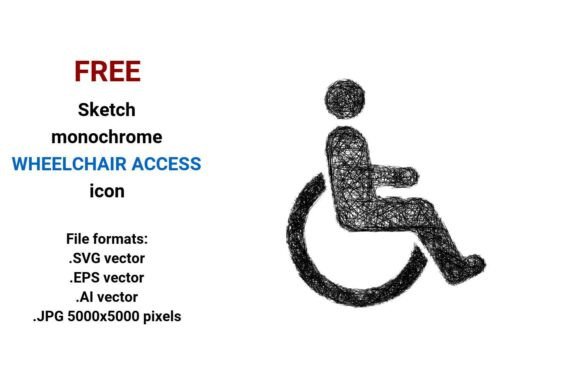
Designing for inclusion starts with intention—and the right visual tools. The FREE Sketch Wheelchair Access Icon is more than a symbol; it’s a flexible, human-centered design asset built for clarity, empathy, and real-world usability. Unlike rigid, over-polished icons, this version embraces a hand-drawn sketch aesthetic—rough lines, subtle imperfections, and organic flow—that signals approachability without sacrificing function. It communicates accessibility not as an afterthought, but as a core value embedded in tone, texture, and form.
What makes it especially valuable? It arrives in four production-ready formats: .SVG (ideal for responsive websites and UI systems), .EPS and .AI (for print, branding, and vector editing in Adobe Creative Suite), and a high-resolution .JPG (5000×5000 px) for mockups, presentations, or large-format signage. Because it’s a true vector image—built from mathematical paths, not pixels—it scales flawlessly from a 16-pixel favicon to a 3-meter transit shelter graphic, always crisp, never blurry.
Creative Possibilities Beyond the Obvious
This isn’t just an icon for a “wheelchair access” sign. Its sketchy, modern line art style invites reinterpretation across contexts where warmth and authenticity matter:
- Accessible transport interfaces: Use the .SVG version in ride-share apps, public transit dashboards, or airport kiosks—pair it with clear typography and sufficient contrast to meet WCAG 2.1 AA standards.
- Educational materials: Teachers and nonprofits can drop the .JPG into lesson plans, accessibility workshops, or advocacy decks—its sketch quality feels inviting, not clinical.
- Branded environmental graphics: Designers working on university campuses or healthcare facilities can embed the .AI file into wayfinding systems, then recolor or layer it with institutional palettes while preserving scalability.
- UI button components: Developers can import the .SVG directly into CSS or React components, applying hover states, animations, or dynamic labeling (e.g., “Entrance: Wheelchair Accessible”) without asset bloat.
The monochrome, outline-based nature of the icon supports quick customization. Need it in navy for a corporate site? Convert in Illustrator. Want it dashed for a “coming soon” accessible route? Adjust stroke settings in SVG code. Its rough sketch character also pairs naturally with other hand-drawn elements—think illustrated maps, annotated floor plans, or inclusive service diagrams—creating visual cohesion without monotony.
Who Benefits—and How They Adapt It
Freelance designers use the .EPS and .AI files to build scalable brand guidelines for clients in hospitality or education—ensuring wheelchair access messaging stays consistent across brochures, websites, and physical signage. They often tweak stroke weight slightly to match existing icon sets, keeping the sketch feel intact while harmonizing with the client’s visual language.
Small business owners—like café operators or boutique fitness studios—download the .JPG to add to Google Business profiles, printed menus, or window decals. No design software needed: they simply upload and scale. The icon’s clarity ensures customers instantly recognize accessibility at a glance—even from across the street.
Educators and advocates integrate the .SVG into interactive web modules about inclusive urban planning or disability rights. Because it’s lightweight and semantic, it loads fast and works with screen readers when paired with proper aria-label attributes—turning a simple pictogram into part of an accessible learning experience.
Bloggers and content creators use the sketch style to break up dense text on topics like accessible travel or universal design. Placed beside a headline like “5 Ways to Audit Your Website for Wheelchair Access,” it adds visual rhythm and reinforces intent—without feeling sterile or bureaucratic.
Keeping It Effective and Audience-Friendly
A great icon serves its audience—not just the designer. When using the FREE Sketch Wheelchair Access Icon, prioritize legibility and context:
- Size matters: On digital interfaces, ensure the icon is no smaller than 24×24 px at standard resolution—and larger on touch targets (minimum 44×44 px). The vector format makes this effortless.
- Contrast is non-negotiable: Pair the black-and-white version against backgrounds that meet a 4.5:1 contrast ratio. Test with free tools like WebAIM’s Contrast Checker.
- Label clearly: Never rely on the icon alone. Always pair it with concise, plain-language text—e.g., “Ramp entrance, level access”—especially for users unfamiliar with standard pictograms.
- Respect usage intent: This is a wheelchair access icon—not a generic “disability” or “inclusion” symbol. Use it where it accurately reflects physical access to spaces, services, or transport.
Its sketchy line art doesn’t dilute meaning—it deepens it. That slight irregularity signals humanity: real people navigating real environments. It avoids the cold neutrality of some tech-driven icons while staying professional, functional, and widely adaptable.
Whether you’re updating a local library’s website, prototyping an accessible transit app, or illustrating a grant proposal for community infrastructure, this icon meets you where you are—with zero licensing friction, full technical flexibility, and quiet visual confidence. It’s not flashy. It doesn’t need to be. What it does—communicate access with honesty, clarity, and care—is essential.
And because it’s FREE, there’s no barrier to starting. Download the .SVG for your next web project. Drop the .JPG into your pitch deck. Open the .AI file and adapt stroke width, spacing, or alignment to match your system. Let the sketch quality remind you—and your audience—that accessibility isn’t theoretical. It’s drawn, built, tested, and lived—one thoughtful detail at a time.