FREE Sketch Spoon Icon: Clean, Scalable & Ready to Use
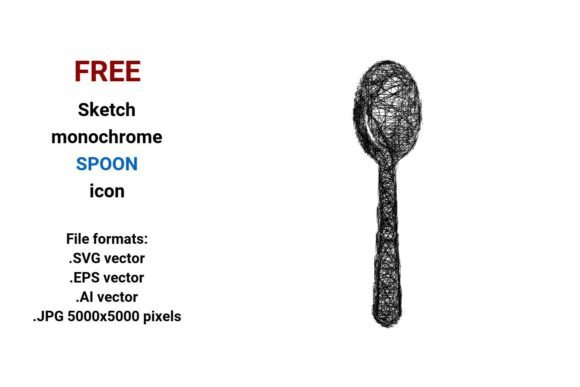
If you're designing a food blog, building a kitchen app, or crafting packaging for a gourmet brand, visual consistency matters — especially when it comes to small but meaningful elements like a spoon icon. The FREE Sketch Spoon Icon delivers exactly that: a hand-drawn, black-and-white spoon illustration designed with purpose. It’s not just another generic utensil graphic — it’s a cooking spoon rendered in expressive, confident sketch lines that feel human, approachable, and intentional.
Why This Spoon Icon Stands Out in Real Projects
Unlike flat, overused icons, this sketch spoon icon uses subtle curves, uneven line weights, and organic flow — hallmarks of pen-drawn line art. That makes it ideal for contexts where warmth and authenticity matter: recipe dashboards, meal-planning tools, cooking class websites, or even minimalist kitchen product labels. Its monochrome palette ensures seamless integration into light or dark UIs, while the sketch style icon aesthetic supports brands aiming for a handmade, artisanal, or startup-friendly tone.
Four Formats, One Practical Workflow
The FREE Sketch Spoon Icon comes in four file formats — each serving a distinct need:
- .SVG vector: Perfect for web use. Embed directly in HTML, scale responsively, and apply CSS color shifts (e.g., hover effects on a spoon button). Ideal for dashboards, mobile apps, and landing pages.
- .EPS vector: Industry-standard for print production. Use it confidently in packaging mockups, brochures, or large-format kitchen signage — no pixelation, ever.
- .AI vector: Native Adobe Illustrator format. Edit anchor points, adjust stroke profiles, or combine with other utensil assets in your design system without quality loss.
- .JPG (5000×5000 px): High-res raster version for quick insertion into presentations, social media graphics, or platforms that don’t support vectors — all while retaining crisp detail at common display sizes.
This multi-format flexibility means you’re never forced to compromise. A freelance designer can drop the .AI into a client’s branding kit; an educator can paste the .JPG into a Google Slides lesson on kitchen safety; a developer can import the .SVG into a React component library as a reusable cooking spoon button.
How It Fits Real Creative Workflows
Consider a food blogger launching a new meal-prep course. They need consistent visuals across email headers, Notion templates, and Instagram carousels. With the FREE Sketch Spoon Icon, they can use the same base asset — scaled, recolored, or layered — across all touchpoints. No hunting for matching variants. No mismatched line weights. Just one cohesive line spoon icon that reinforces their brand’s friendly, hands-on voice.
Or imagine a SaaS team building a nutrition-tracking dashboard. Their UI prioritizes clarity and minimalism. A bold, geometric spoon might feel cold. But this monochrome sketch icon adds gentle visual rhythm without distracting from data. It works equally well as a tab label (“Recipes”), a filter tag (“Cooking Tools”), or an inline illustration beside a “Add Ingredient” CTA.
Who Benefits Most — And Why
Freelancers and agencies appreciate how quickly this spoon icon integrates into pitch decks and style guides — especially when clients request “hand-drawn but professional” aesthetics. Small business owners selling spice blends or ceramic cookware find it ideal for labeling, packaging, or Shopify banners: distinctive enough to stand out, simple enough to reproduce cleanly at any size.
Educators and content creators use it in infographics about kitchen safety, culinary history timelines, or step-by-step cooking tutorials. Its sketchy line icon quality implies process and learning — far more fitting than a sterile, corporate icon. Even mobile app designers rely on it for intuitive navigation: a mobile sketch icon that’s legible at 24px yet retains character at 96px.
A Note on Fit and Intentional Use
This isn’t a one-size-fits-all solution — and that’s by design. If your project demands photorealistic 3D rendering or full-color illustrative storytelling, this black and white sketch style won’t serve that goal. Likewise, if your brand guidelines strictly require strict geometric precision (e.g., technical documentation interfaces), a looser sketch button may clash.
But for projects valuing approachability, scalability, and stylistic cohesion — from a chef’s personal website to a meal-kit subscription UI — the FREE Sketch Spoon Icon solves real problems: reducing asset fragmentation, speeding up iteration, and strengthening visual storytelling around food, function, and everyday kitchen moments.
Vector Quality You Can Trust
As a true vector image, this spoon is built from math — not pixels. That means whether you scale it to fit a tiny favicon or blow it up for a trade-show banner, edges stay razor-sharp. There’s no anti-aliasing blur, no interpolation artifacts, no guesswork. You get clean curves, consistent stroke behavior, and full editability in vector-native software. That reliability is why designers reach for icon vector files first — and why this cooking spoon icon belongs in your working toolkit.
Practical Tips for Best Results
- Pair it with other sketch clipart assets (like bowls, knives, or herbs) for unified icon sets — just ensure consistent line weight and spacing.
- In UI design, use the .SVG with
viewBoxattributes for responsive scaling — avoid fixed width/height unless intentional. - For print, open the .EPS in Illustrator and convert strokes to outlines before sending to press — guarantees fidelity.
- When using the .JPG, save final exports at 72ppi for web or 300ppi for print — the 5000×5000 resolution gives you headroom either way.
Ultimately, the FREE Sketch Spoon Icon isn’t about decoration — it’s about communication. A well-chosen utensil icon signals function, context, and care. Whether you’re guiding users toward a recipe, labeling a pantry organizer, or illustrating a cooking tutorial, this spoon does more than fill space. It invites attention, supports understanding, and quietly strengthens your message — all in a single, scalable, thoughtfully drawn curve.